Thursday, February 24, 2011

Self-Publishing Reapproach

Thinking out loud.

I started writing novels back in September of 09' for the purpose of self-publishing. I wanted as much control of my product as possible and be totally in the driver's seat relative to pushing it out to an audience. I wanted to do things my own way.

Then along came Windows Phone 7 and a host of other projects. Wasn't sure I had the time to promote my own stuff, so I looked around to see what the traditional publishing world was like. To just scratch the surface, I could bang on doors a long time and not get noticed. Particularly because most of what I wrote was set up to be self-published rather than for mass-consumption.

I outlined a couple of books that'd probably work better in the hands of a traditional publisher. It'll be summer before they're done. Regardless, I think they are good ideas worth exploring.

Now I'm back to looking at the self-publishing road. The couple of books I already have are a bit dusty but I've got some help if I need it with covers and arrangement. I think it would do me some good to have my stuff out there regardless, say nothing for my state of mind. Add to my list a new and different personal site. Something I didn't make in iWeb a year and a half ago.

I'm not where I'd like to be, but I wouldn't trade any of the experiences I've acquired getting this far for anything.

Brain off. Fingers on keyboard.

I hope they find a cure soon.


My Team: Battling for Boobies - HELP ME FIGHT BREAST CANCER (Clickorz)

Thanks.
Clickorz to embiggenz.

Friday, February 18, 2011

Windows Phone 7 Connector, For Mac

This story has a happy ending, just keep reading.

I've been working with a friend of mine since July of last year to develop a game for the Windows Phone 7 Platform. We're probably at the half-way mark and have a large amount of content and code put together. It's coming along nicely. All the same we are a tiny two(ish) man studio that hasn't had a release yet.

As is probably evident from this blog, I'm mostly an Apple guy these days so I do most of my developing on a Mac or from inside a Windows 7 or Linux VM. When Microsoft announced they were going to put out a WP7c for Mac, I downloaded the beta even before I had my developer phone. It seemed righteous, even allowing you to change your selections mid-sync.

Now, imagine my excitement after they published the same application Apple's new Mac App Store? I was jazzed. When I downloaded it I experienced some pretty significant trouble getting it to sync with my device. My partner and I had already suffered some setbacks (his laptop's HD died) and I was feeling pretty discouraged about WP7 at that moment anyway.

The news of the release made it on Engadget and I decided to make a post under the article just in case anyone at Microsoft was paying attention. Less than an hour later my post has a reply beneath it. Someone claiming to be from Microsoft wants to talk to me about the issues I've been having. I text my partner to verify that the email and the person are legitimate, being fairly certain it's just a Troll out to ruin my day.

It wasn't. This guy was the real deal.

I contacted the nice gentleman at Microsoft who works in the Zune Dept. with the WP7c specifically. Over the next two days he and I correspond. I log the connector, try swapping things around, and attempt to get my phone to sync the problem file, a short video of my Guinea Pig Lucy eating a carrot. Gotta have it on my phone for obvious reasons.

During the course of the exchange I learned a lot about Microsoft-Windows cross compatibility when it comes to Zune, iTunes and the Windows Phone 7. What files will sync, which one's won't and so forth. If you're a Mac user with a WP7 device and have questions, I'll be posting some of my findings soon.

The end result? We swapped videos of fuzzy critters for our own amusement AND I have a build (ver 1.0.1) of the WP7c that syncs all my content (non-DRM prot) to my Samsung Focus. The friendly gentleman at Microsoft told me the fix I helped discover will be in the next public release. If you're a Mac user with a WP7 languishing under a WP7c that doesn't work right, have no fear... the next one will work better for you.

If you're a developer who is struggling to stay motivated, I can say with confidence the folks at Microsoft are hard at work to make WP7 successful. Yep, they even care about the experience Mac users are having with their device. For me, being able to contribute directly to the platform in this way was a huge boost during a time when I was feeling particularly discouraged.

I love Apple's devices but I don't think I could ever be a developer for them. All my interactions with them on the phone/online/etc have been cold, robotic and a complete waste of my time. Microsoft's high-level and hands on approach to seeking solutions for WP7 has me convinced that it can succeed in a mobile market (thus far) dominated by Androids and Apples.

Monday, February 14, 2011

MacBook Air vs. iPad Follow-up

I received some responses and questions from my last post about the MacBook Air 11.6". I got mine in late November of last year, and took it as a sign when I got a request from Apple (this morning) to take a survey about my purchase. I probably need to follow-up on some stuff I'd posted previously here (clickorz) and here (clickorz).

When I'd compared the MacBook Air to the iPad previously I gave four reasons why I didn't see my iPad getting dusty any time soon. The first revolved around the iOS App Store being better at the time. That was three months ago, and I'm already having to eat those words. The Mac OS App Store is far better than anticipated with many of the Apps I use on my iPad getting ported over.

My other reasons for liking the iPad still stand, but mostly from the perspective of casual computing or leisure. When I need to get work done on the go, my MacBook Air is what I've been reaching for lately. I even purchased a small Wacom Bamboo Tablet for doing visual stuff.

Most people aren't going to blow the money on both a MacBook Air and an iPad. Only silly people do that. (-_-) Which one should you buy? Here's what I use those devices for, when and where.

iPad:

Checking my email, instant messaging, Facebook, and browsing the web. As an email browser, the iPad is virtually unmatched. The new Sparrow 1.0 App (Clickorz) might change my mind though. Available now in the Mac App Store.

Browsing my Photo Library in general. Also, if I were to grab my camera and wanted to have a way to view and edit my photos on the go, I'd take my iPad (and the camera connection kit). Yep. iPad.

Playing Games. Civ Revolutions, Strategery, HighbornHD, RageHD, Chaos Rings, Space Station HD, Dungeon HD, N.O.V.A. and Real Racing HD are my favorites.

I use Looptastic HD to make background music to write to, my Things App to keep track of my Projects and PlainText to generate raw text for those projects. I use iMockups, Sketchbook Pro, and a host of image editing apps to generate visual content.

Instapaper and Flipboard are what I use to consume textual content from the web. Those two Apps alone make the iPad worth every penny I paid for it. iBooks is still my favorite eReader even after demoing the Nook.

I also use my iPad to run both my SS RPG Tables. I tried using my MacBook Air last Saturday and it just isn't as good a companion at the game table. My iPad also goes with me to the Deadlands game I play in, so I can reference the game materials using iBooks.

My iPad is used primarily for leisure and a little bit for work. Being able to combine it with a ziplock bag and watch Law and Order in the tub is a nice bonus.

MacBook Air 11.6:

Basically performs the same functions as my desktop. It'll run Photoshop and Dreamweaver CS4, Sketchbook Pro, Artboard, World of Warcraft (from an external HD), iChat, Mail, Pages, iPhoto, etc. I don't think it could emulate Windows 7 (and my dev software) using Parallels without getting choked out, but the new MacBook Air line allegedly coming in June might.

My MacBook air is used primarily for work, and to fish in World of Warcraft when I'm stuck in a hotel room somewhere.

Conclusions:

Of course, you'll have to draw your own. Regardless, I'd recommend waiting if you can get by with your old mobile gearz, whatever they may be. Here's the gossip:

Like I said before, the rumor is that Apple is going to update the MacBook Air in June with Sandy Bridge processors, a potentially large jump in performance.

There are folks in the know who say the iPad is going to get updated not once, but twice this year. I suspect that the iPad 2 will have 1 GB of RAM which would definitely make it worth waiting for. Especially if you plan on using your iPad to open and view large (200 page+) documents crafted in Pages, PDFs, etc.

Again, If you're thinking about making the jump to either a MacBook Air or an iPad, and you can hold out with your old gear, I'd wait. Yeah, me too. I hate waiting.

Sunday, February 13, 2011

MacBook Air > iPad - App Store Advantage

I was at Barnes and Noble the other night with my wife. We'd gone there to find a cafe environment that stayed open late. As it turns out, my wife was too restless to stay for long but while we were there something happened.

A guy who had probably fifteen to twenty years on me came up and tapped me on the shoulder.

"How do you like that?" He said, pointing to my MacBook Air.

"I don't usually recommend these. They'll ruin you to all other laptops. You'll only be able to use this one because everything else will feel like a slow and bloated pig by comparison." I explained. I gave him my best thirty second description of the device and told him to talk to Andrew at MacLife (Clickorz) on 8th Street in Boise. He inquired about my wife's iPad and then (presumably) headed off to make new plans for his next technological companion.

The whole thing gave me pause for thought the following day. Could a MacBook Air be someone's only computer? I think I stated it previously: for most people the answer is yes, and that number will likely grow in June when they get updated with Sandy Bridge processors. If I traded up in June for one that had 128GB SSD and one of the new Processors, I struggle to think of something I couldn't do with it. Yeah, I'd have to have my 27" Cinema Display for Dreamweaver, Photoshop, Sketchbook Pro, Artboard and similar, but that goes without saying.


Yeah, a person would have to figure something out for an optical drive. If they already have a Mac in the home that has one, it's a simple matter to share it out to your MacBook Air. I used the method to install CS4 and Sketchbook Pro, previous to the emergence of the App Store for Mac. Worst case scenario you'd have to buy the $79 external optical drive. However, not for too much longer I should think.

If the App Store for Mac continues to do well, Mac users could see the end of buying a physical copy of an application or program. While my own experience with Apple's app stores has been a mixed bag, my recent purchase of Artboard was very satisfying in one respect. Apple treats the Apps sold through the store like it was their own software in many regards.

I made the purchase on my MacBook Air by using the App Store program, making my selection just like the App Store for iOS (iPad, iPhone, iPod touch). It quickly downloaded and installed on my Mac in a way very familiar to the mobile form factor. I then went over to my iMac and RE-DOWNLOADED it to that machine from my account. That's right, I downloaded it a second time ... from the App Store. I'm sure there's probably a limit to the number of machines an App can be installed to, but this is a big step forward for Apple.

It pains me to say this, but this makes my MacBook Air a superior device to the iPad because of the how the two App Stores function when held up side by side. Looking at the Apps that I really like to use on my iPad, I'm sure as equivalent programs appear on the Mac App Store... I'll be using my iPad less and less.

If Apple was listening only to me I'd make the following suggestions relative to their Mobile Platform App Store:

1. Allow Mac users to use something (anything!) other than iTunes to manage mobile applications on their Mac.

Or just fix iTunes so it doesn't stink something awful for the purpose of browsing/buying mobile applications on my Mac.

2. Allow folks to download Apps I've already purchased one device to another without having to sync.

I've seen one occasion where one of your own developers could have really used such a feature while he was traveling on the road. His iPad crashed mid-update and his primary machine was at home. If his purchases had been tracked in such a way that he could have gone and downloaded them again, it'd been a much more sunny situation.

3. Fix your billing system so it doesn't arbitrarily (and randomly) decline my bank card.

Why would you not want my money? Seriously.

Can't wait for June. Hopefully the new Sandy Bridge processors are everything advertised. We'll get a peek of them in action with the new Samsung Series 9 Laptop sporting the Core i5 Sandy Bridge Processor. It's very similar in form factor to the MacBook Air 13". Any reviews written after it's release will be good indicators as to how those processors will rock the MacBook Air line.

Update (September 13th, 2011):

As this entry seems to draw some regular traffic I feel the need to update.

1. As it stands, iTunes is still the only way to manage your applications. There are rumors that it is going to get a ground up redesign, perhaps in preparation for, or in the wake of, iOS 5? One of the features of iOS 5 is that the iPad will become a stand alone device no longer requiring a computer to back itself up.

2. You can now download applications to your iPad you've already purchased without having to sync to your computer. You just go into the App Store on your iPad and click the "Purchased" button at the bottom. It'll allow you to browse everything you've purchased and download it if you desire. The iTunes App has the same functionality. Hurrah!

3. Visa completely botched getting me my new bank card and had to issue me a completely new number. For whatever reason, Apple's billing system likes my new card... for now.

I'm still using the iPad I purchased back in April of 2010 and the MacBook Air I got in December of 2010. Both have performed so well I haven't felt a powerful desire to trade up for the newer models.

For the iPad, add to my Wish List:

A. 3-5 competitive cloud storage options that have iPad applications that allow for detailed data storage manipulation.

B. An easy means to sync Pages Documents between my Mac and my iPad. I hear that might be in the works, but I'm gonna wish for it anyway.

C. A means (even convoluted) of removing certain Apps that come preloaded from Apple.

Thanks for reading.

Saturday, February 12, 2011

Stuff

I like to think I don't have much. Truth be told I could probably have a lot less and be happier as a consequence. I have a bike I don't ride. I have miniatures I probably won't get around to painting let alone fight a table-sized battle with. I have a MacBook Pro that could probably find itself useful in the hands of someone else. I have clothes I don't wear. Shoes, I have too many shoes.

Then there's all the things that don't take up physical space. Hundreds of photographs stored in folders I could probably display, delete or drop on someone else. Thousands of words worth of text in dozens of writing projects that will probably never see the light of day. Then there's my various places on the intertoobs where I socialize, criticize and monopolize bandwidth, politics and time.

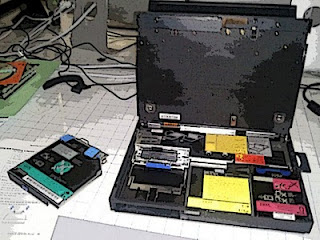
Truly, I could part with a great deal of the stuff in my life. However, there are things I could could not in good conscience unload. Keepers. I could easily boil it all down to a couple of Timbuk2 bags of miscellaneousness, a 1971 Oldsmobile, my righteous single speed bike, a couple of Macs, and my small but comprehensive library of carefully collected tomes and books. Oh, and my abandonware IBM Thinkpad.

I have some things I keep out of guilt. I spent money on those things and by golly, I'm going to sell them or find a home for them if I don't want them. The truth is that I should just cut my losses and ditch the stuff that takes up space in my physical and mental spaces. I should give the spaces that I play and rest the same consideration as the places I work.

Thursday, February 10, 2011

Elevated Work Surfaces

I think instead of blowing a bunch of time and money on an elevated work surface I'll just turn the heater on in my old workspace and set one of the shelves to the proper height. I'll get to stand while I work in a quiet well lit place with a window and it won't cost me a thing other than a buck or two extra on the ol' power bill. If we ever trade up our current living accommodations for something smaller, a geek desk or a custom workspace might make more sense.

Splitting up my workspace would allow me to segregate my projects which is something I've been thinking about doing for awhile. Having a place to spread out to concentrate on my visual work, a small cave-like place to write text/code and a well lit place to stand and work might be the ticket. I've got the space, I might as well use it. Lots of craftsmen have a special workspace depending on the type of work they are doing, I'm starting to see why.

I had questioned the merits of having multiple workspaces in the past as something that would not fit within the confines of my minimalist ambitions. When it comes to the work that fulfills us, minimalism should be practiced like every other contributing attribute...

...in moderation only.

Monday, February 7, 2011

30 Days - Post 200

My blog was only one of a number of things I'd avoided over the last month or so. I had to take some time to search my soul without being able to simply abandon my thoughts on a blog, in a journal or thinly veiled in the fiction I write. I didn't reach any monumental conclusions or, in my life, repair a single thing that is broken.

I need a desk set-up that will allow me to stand while I work. Trying to write in the volume I know I'm capable of requires that I address a couple of truths.

1. Humans weren't designed to sit in a chair for eight hours a day and poke keys on a keyboard.
2. Humans were designed to survive attacks from sabertooth tigers, wander the globe, find food, and tell stories around a fire. They were not designed to be writers.

I need to spend as much time reading as I do writing. Some of my limited "sitting time" needs to be devoted to that end. As for a work station I can stand at while I type, there's no easy solution. I either need to build my own or drop a grand on a Geek Desk. The game table I built works marvelously as a workspace because I can write on it.

I think I'd miss that.

Building a frame that would elevate my existing workspace might be the answer in that regard. Too bad I have no idea how to do something like that, nor do I possess the tools. This I will further ponder.

Tuesday, January 4, 2011

Tech and Consumerism

In rearranging my work machines I found myself pondering the tech world from the perspective of a consumer. I'm constantly looking for devices to make my work flow and environment more manageable and more reliable. For most people, any computer will do until it breaks or fails. Because so much of what I do requires a computer, I don't have that luxury. My creative energy doesn't quit just because my work station does.

I marvel at how polarized people have become when it comes to tech. I half expect to start seeing decals depicting one operating system urinating on another appear in the back windows of Subaru Outbacks and Honda Accords. Technophiles and Geeks assign to their ego a measure of the devices they own or don't own. I'm no different and certainly no more evolved than any other Technophile in that regard.

It sounds ridiculous, but all you have to do is look at the tech market itself and a pattern starts to emerge.

I need something that will run Windows 7 for my WP7 dev tools, animation editor, and similar. I think about all the computers I've owned and built and which companies provided me the best service. Obviously, I want a device manufacturer that updates their equipment to work with Windows 7 promptly and accurately with no bugs. I need the drivers for the hardware to be current so the device functions efficiently and reliably.

Of all the machines I've owned, my Macintosh has the best track record relative to being updated to work with Windows. Wait, aren't they supposed to be rivals? How is Apple beating Asus, HP, Dell, and other device manufacturers to the punch relative to being a stable environment to run Windows 7?

It's about simplicity.

Looking just at Laptops, Apple has less than 10 devices with four different screen sizes on the market, most running with very similar hardware. Asus has nearly 80 such devices, each with different hardware configurations and specifications. Which product line will be easier to quickly and accurately update to act as an environment for an operating system?

I'll be putting my theory to the test when my copy of Parallels (and my 16GB ram) shows up and I run a virtual box of Windows 7 on my Mac, load my Dev Tools, and try to execute a .xap file in the emulator. From the reviews I've read, I'm not the only person who thought this was a good idea, and allegedly... other developers have done this successfully without a hitch.

Does the street go both ways?

Microsoft Office for Mac? Works like a charm. Windows Phone 7 Sync Utility for Mac? No complaints thus far. In fact, I like some of how it syncs with my device even better than iTunes. Admittedly, it isn't difficult to stand head and shoulders above iTunes in that regard.

Am I suggesting that everyone run out and buy a Mac and install Windows 7 on it? Yes, if you want the best Windows machine on the market you don't build yourself. Do I think you can tell a lot about someone based on the smartphone they bought? Nope. I think the mobile market isn't old enough yet for people to have any true brand loyalty.

It is for that reason that within that market we're seeing incredible innovation and competition occur. Even the biggest companies know they can't win alone and have sought the independent and small developers to make their platforms worthwhile to the consumer. 2011 should be an interesting year.

Friday, December 31, 2010

Samsung Focus Review

I've had not quite 24 hours to fool around with my new Samsung Focus. I haven't unlocked it or rooted the thing yet, just played around with it like your casual consumer. I'll comment on it's capabilities as a developer phone in a different post.

Phone

The primary purpose of the device is to make a phone call. It's clear many smart phone manufacturers forgot about that when they manufactured their devices. The Samsung Focus performs admirably in that regard. I had a 30 minute conversation with my Mom (a fellow technophile) who was impressed by the clarity of my voice. She said that it was almost indistinguishable that I was on speaker phone when I switched over to that setting.

Construction

I read about a dozen reviews on the phone before I bought one. One thing people consistently commented on was the plastic construction and how cheap the phone feels as a consequence. I don't wholly disagree with that assessment, however the phone is extremely light and thin. Truly, when the whole of the device is glass, any drop is likely to be catastrophic regardless of the case material.

When you pick yours up make sure the battery cover snaps on and off fitting together properly. Also, get the $5 a month insurance, especially if you're a developer. Rooting the device (of course) invalidates the warranty.

Buttons

It has physical +/- Volume, Camera, and On/Off Screen lock buttons. It also has the usual WP7 Back, Home, and Search buttons, but these are touch sensitive positions toward the bottom of the handset. The buttons aren't great or bad and they seem to have enough stiffness to resist getting pressed accidentally. The WP7 buttons are responsive even with the inviso-screen protector on the face.

I'm glad they gave the camera a hardware button that's pressure sensitive. Press to focus, then a little harder to actually snap the picture. Software buttons for phone cameras are generally a bad plan. I wish they'd done the opposite with the volume buttons but I understand why they did relative to the WP7 OS.

Camera/Video

Yep, it takes a picture and shoots video. I'm not a fan of devices that combine design elements. I don't think the world is a better place as a result of combining cameras with phones, mp3 players, and other devices. Being that I'm largely outvoted in that assessment, I can say with some confidence the Samsung Focus take a crappy picture and shoots similarly unfortunate video as compared to a real camera designed for the purpose.

Charging & Battery Life

I haven't had a chance to put the battery to the test. Getting the thing to charge was an adventure. Even after pulling the battery and a reboot, I can't get it to charge via USB. It seems to take a charge from the wall but it's very slow to charge. Hopefully this is just one of those initial glitches that goes away after a full charge and discharge.

I got the device with half a charge at 11:00 am or so yesterday. That charge allowed me to setup my contacts, install and play games, text and talk until about 9:00pm when I went to sleep. By then the phone was very low on power. When I awoke, the phone had only charged a very small amount off the USB cable plugged into my Mac. It took almost 2 hours to pull a full charge from the wall socket.

Performance

It played back my favorite Frank Sinatra tune, downloaded a game and allowed me to surf the Facebook App at the same time without any slowdown. I tried a bunch of different things to get the phone to bog or stutter. The only time it got sluggy was after my first factory reset when it was trying to sync all my email accounts, Live ID, and Facebook contacts at once while I was surfing in the browser.

Windows Phone 7 OS

Every app native to the WP7 operating system is gorgeous, responsive, easy to use and learn. From the perspective of someone who designs visuals for apps, Microsoft's Metro UI scheme is as beautiful as it is minimalist. If you don't like the way the media is displayed, side swiping or tapping the search key generally gives you alternatives. That being said, every app seems to have it's own means of navigating content.

The good thing is that relative to each app, the content is usually displayed in a way that showcases it and allows you to easily browse. The bad is that you have to mess with each app to learn how to use it. I think the benefits generally offset the drawbacks relative to the user interface.

I don't think it is any easier or harder to use than Android, WebOS or iOS. Aesthetically speaking, WP7 is far more attractive than it's competitors. WebOS and Android have the same ease of navigation but they look junkie and clunky by comparison. As a mobile computing OS for tablet style devices, iOS soundly defeats WP7. As a mobile gaming platform and an OS designed for a Cell Phone, WP7 soundly defeats iOS.

I had high hopes for Apple's Game Center, but it pales when compared to WP7's xBox Live game application. All my games are stored and accessed within that app so they aren't cluttering up the UI with icons, and all my achievements are tracked within the same app.

The People App is similarly useful. When I tap one of my contacts it pulls up their phone numbers, email addresses, what they posted on Facebook recently, and similar. I can link their Gmail and Facebook web presences together and add information that is then displayed all on one screen. I don't have to thumb through multiple apps to see what my friends are up to or send them email, text messages or a phone call.

WP7 was designed to run on a cellular device to facilitate it's operation as a means of communicating with others. It performs that task better than any other smartphone in my opinion.